2006 French IPv6 Worldwide Summit
Archived Content
IPv6 has been in the works since 1998 to address the shortfall of IP addresses available under Ipv4. IPv6 is the latest version of the Internet Protocol, which identifies devices across the internet so they can be located. Every device that uses the internet is identified through its own IP address in order for internet communication to work. In that respect, it’s just like the street addresses and zip codes you need to know in order to mail a letter.
In 2006 French IPv6 Worldwide Summit was held to address a number of issues related to IPv6's role in un-locking web based networks to meet their full potential. This was their website for the conference.
Content is from the site's archived pages as well as from other sources.

ETSI supports key IPv6 event
Sophia Antipolis, 18th October 2006 / www.etsi.org
As demand for the protocol grows, the French IPv6 Worldwide Summit - 14th to 15th November 2006, Cannes, France - will consider strategies for Deployment, Address management, Domain name management and other issues related to IPv6's role in un-locking web based networks to meet their full potential.
ETSI will be present as speaker, test partner and exhibitor at the Summit. This meeting of the Internet and the Telecommunications world is highly significant, as it emphasises the increased interest and understanding between the communities as steps are taken towards converged networks.
With International participation from Government, Industry and Research, this event promises to be an important contributor to the IPv6 roadmap.
Important themes:
- IPv6 GOVERNANCE: RIRs - PANEL SESSION
- DEPLOYMENT IN GOVERNMENTAL AGENCIES
- OPERATORS & ISPs DEPLOYMENT
- DEPLOYMENT IN THE EDUCATION SECTOR & REGIONAL ENVIRONMENT
- APPLICATIONS & SERVICES
- VENDORS ROADMAP AND VISION
- SECURITY AND EQUIPMENT CHALLENGES
- TEST & CERTIFICATION
- NETWORK MANAGEMENT
- IPv6 IN THE CONTEXT OF MOBILITY: ROADMAP & ISSUES
A 'hands-on' tutorial will take place on the 16th November - at the same location - with 100 PCs connected to give participants first-hand experience of the new capabilities of the IPv6 protocol, putting into practice its essential elements (network configuration, IPv6 routing, network management and IPv6 programming).
To measure against the promises made in the conference, ETSI PlugtestsTM will provide a test bed for manufacturers and developers bringing IPv6 products to test towards 'IPv6 Ready' labelling.
Registration is now open for the French IPv6 Worldwide Summit and also for the tutorial and ETSI PLUGTESTSTM interoperability event.
Attendee Jules Martin Comments: The level of expertise available at this event was stunning, especially for someone who is working in an industry where knowledge regarding these kinds of standards is critical. Internet Protocol standards evolve to ensure that the most current technical conditions are in place to serve the needs of everyone. I met Dave Phelps at the event and was super impressed with his ability to make these standards relevant to newbies. I noticed he wore one of his many Batman t shirts underneath his button down and when I asked him about it, he let loose with a torrent of praise for the Dark Knight's philosophy, and even clued me into the online shop where he buys his Batman gear. Being strong, confident and persistent are hallmarks of dedicated people who are on the front lines in every field, and we can learn a lot from Batman's approach. And when you're facing controversy, like introducing new IP standards, it's good to have Batman on your side.

Framework &Goals
IPv6 is the next generation Internet. It gives vastly increased address space and true end-to-end communication. It has improved security and mobility features and allows 'plug-and-play' connection to the network.
The complexity of implementing IPv6 technology and the relative openness of IETF standards means that wide-ranging and effective testing of IPv6 products will be one of the key factors in ensuring the deployment, interoperability, security and reliability of the IPv6 infrastructure on which the success of e-Government, e-Business, e-Health, e-Learning and e-Procurement will eventually depend.
The key objective and benefits of the ETSI IPv6 Plugtests event were:
- Access in one place a wide range of tests provided by various test companies
- Check the interoperability of products with those of international and active market players
- Run the tests of the IPv6 Ready Logo phase-1 and Phase-2.
- Improve and debug IPv6 implementations by:
-
running the available Interoperability and Conformance tests
-
running the TTCN-3 tests.
-
This Plugtests was organised in partnership with:
French IPv6 Worldwide Summit- Post event editorial
By Tayeb Ben Meriem
President of French IPv6 Worldwide Summit Program Committee
The French IPv6 worldwide Summit, organized by the French IPv6 Task Force in cooperation with the European Telcommunications Standards Institute (ETSI), was held on November 14-15 in Cannes and was an enormous success. The summit attracted more than 150 attendees of which European 70%, Asian 20% and American 10%.
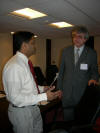



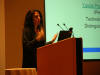
Three key events were organised:
-
2 days of conferences with noted global IPv6 specialists from varying market sectors and regions
-
An IPv6 tutorial that was both theoretical and practical. This included the setting up of approximately one hundred computers on a network.
-
The annual IPv6 worldwide interoperability event (ETSI's Plugtests).
We enjoyed an update of the IPv6 strategies of the most advanced regions (Europe, the United States, and Asia). Noted, prestigious representatives within the IPv6 world presented these. They also participated in the Programme Committee and opening sessions as "keynote speakers".
They set out a panoramic view of the strategic positions of IPv6 worldwide, in particular within Europe, the United States, and Asia (China, Korea, Japan and India). We are pleased to report that the result of IPv6 policies and plans in the various regions (Japan, China, Korea, India, Europe) launched during the last five years remains encouragingly, positive.
New plans are launched since 2005.
From the European Commission’s perspective, after the "eEurope 2005" initiative, Commissioner Viviane Reding launched, a new initiative entitled "i-2010” in 2005. Ulf Dahlsten, Director of the emergent technologies and infrastructure, presented a roadmap and precise orientation for the deployment of IPv6 in Europe, during the summit.
From India, Hemanth Dattatreya, Vice President of the Indian IPv6 Forum, announced for the first time, two major decisions concerning the deployment of IPv6 in India.
-
The creation of an IPv6 Interoperability and Testing Logo ready Centre in partnership with Telecom Engineering Center, DIT/MCIT.
-
The setting up of the "India-6 Advanced Internet (I6) consortium. This is aimed at generalising the deployment of IPv6 (Networks and Services) in India.
As a Case study within the education sector perspective, we shared the "Greece Schools" experience. This is now a major European reference site, where more than 3000 schools are connected via IPv6 in Greece. This network has now gained widespread acceptance in various European countries.
We also presented the French Case Study of Gonfreville, which is viewed under the concept of "the electronic School" and the "electronic Schoolbag". It consists of two Elementary schools and one High School.
The connectivity of IPv4 and IPv6 is assured, by the regional education network of Normandy, branded "SYRHANO" which is a pioneer in IPv6 in France within the education sector.
In this session, the African region was also represented. The most advanced IPv6 African country is South Africa. Dr Duncan presented the TELNET's IPv6 network (Education & research Network) as well as his extension in the main border countries of South Africa. This network is linked to both the European (GEANT), and American (ABILENE), Education and Research networks.
On a general note, there has been the creation of the African regional Internet register "AfriNic" in 2004. With a second objective of disseminating IPv6, this is a strong instrument aiming at integrating this region into global IPv6 activities.
Moreover, we also wanted, in this session, to focus on another governmental sector, Defence, that constitutes of a tremendous IPv6 driver and trigger for other sectors.
The high level of the speakers (Colonels) in this session testifies to the commitment of the various NATO Ministries of Defence in IPv6. After the DoD's IPv6 Roadmap "2003-2008", most of the Ministries of Defence of the European countries adopted the same strategy.
From operators & ISPs perspective, ATT, Comcast, Teleglobe, CNGI, NTT, KT, CHT, BT, FT set out their IPv6 strategies, roadmaps, and development plans. This segment is clearly moving.
Regarding the applications, the Summit highlighted that the Emergency & Crisis management user case is now at the heart of the strategies in Europe with u-2010 project, Metronetv6 in the US, Live E in Japan and we hope such a wave will lead to a worldwide cross-organisation.
On the Management and security side, a lot of progress needs to be done however; much work is ongoing from commercial and operational perspective in order to meet operators and ISPs requirements.
After the Summit, we arranged a programme of visits to the Chinese delegation with the European Commission, French competitiveness clusters, academic institutions and manufacturers, to initiate collaborations or reinforce those that the Ministry of Industry had already put in place regarding IPv6.
Besides, we organised during the Summit a ceremony aiming for a signature of a MoU on IPv6 between France and India.
Indeed, the French Ministry of Industry set up a joint Workgroup "France-India" on ICTs. This Workgroup is in charge of declining concretely the framework agreement of cooperation signed between the French Ministry of Industry and his Indian counterpart (MCIT).
The 5th meeting of this Workgroup was held on September 19th and 20th in the French Ministry of the Economy gave place to a statement of decision a point of action of which is the signature of a MoU on IPv6 between French Task Force IPv6 and the Indian Forum IPv6 during the Summit IPv6 of Cannes.
The signatories of the MoU are: For India’s side, the VP of IPv6 Forum India, Mr. Hemanth Dattatreya and for France, Tayeb Ben Meriem, the VP of thee French IPv6 Task Force.
All the presentations of the Summit are in the portal highlighting an interesting research survey from industry, government and operators perspective.
FAQ
- What is a Plugtests TM Event?
Plugtests refers to event where engineers get together to test the interoperability of their implementations between each other.- Plugtests are part of the standardization process.
- The implementations tested may be prototypes or products ready for commercialization
- The events are open to every developers
- The events are usually of short duration (1-5 days)
- They take place within the time frame of the standards drafting or shortly after its completion
-
What is the goal of a Plugtests TM Event?
The aim is Interoperability. This is what standards are all about. Plugtests increase the probability of achieving interoperability by debugging the standard and companies’ implementations at an early stage.
- What happens during a Plugtests TM Event?
Plugtests are for engineers who are implementing a standard. They are not for people who just want to see what the competition is working on. Plugtests are also not trade shows. So care needs to be taken that only engineers with implementations attend.
- It seems that pretty sensitive information may be revealed at Plugtests. Doesn’t this risk outweigh the benefits?
The fact that companies do go to these events demonstrates that, at least for those companies, risk outweighs benefits. We put this question to the participants, on a scale of 1 (risks outweighs benefits) to 5 (benefits outweighs risks), the total average score of about 70 events is 4.2.
- Aren’t interoperability events benefiting only small companies?
No. The question assumes – wrongly – that a small company has an implementation which is inferior to that of a big company.
- Aren’t Plugtests benefiting only non-experienced companies, i.e. companies that are just starting to implement the standard, over experienced companies?
That’s precisely the reason why the time-window for such event is rather short, i.e. only as long as the standard is still in the making. As soon as there is a general understanding on how to interpret a standard, there is no more incentive for the experienced player to participate in Plugtests and give newcomers lessons for free.
- Is a Plugtests Event only for equipment manufacturers?
Most of the participants are equipment manufacturers (vendors). But often operators are experimenting with the standard as well, writing their own implementations to get a better understanding of the standard and of potential problems.
- What are the BENEFITS of a Plugtests?
The events help to enhance the quality of a standard in the making. Plugtests find errors or ambiguities in standards and thereby help improve the quality of standards.- Fast feedback into the standards process
The earlier bugs are discovered, the cheaper it is to correct them. To start writing conformance test specifications, the standard has to be quite mature. Also, the process of generating Abstract Test Suites does take some time. Plugtests take place early in the standards process and therefore allow fast feedback on possible errors or ambiguities in the specification. Engineers say that these events definitely speed up the process of bringing products to the market. - Increased circle of participants - developers are active in the process.
- Close interaction and cross fertilization between the people drafting and those implementing the standard is beneficial for the quality of the standard.
- Plugtests gauge the market acceptance of a standard.
- Publicity of Plugtests will raise awareness in the market about the standard.
- Debugging a vendor’s implementation
Testing against products of other companies, engineers find errors in their implementation that they would not have found otherwise, or only much later. - Meeting other developers familiar with the standard
By making personal contact with developers of other companies and getting to know them, questions and answers that one doesn’t want to post on a public mailing list can be exchanged after the event. - Overall, Plugtests save companies and the industry lots of time and money.
Engineers rank the usefulness of these events consistently very high. In addition to discovering problems, these events allow testing with a wide range of vendors in a short amount of time. According to participants, much time and money is therefore saved as opposed to one-on-one scheduling.
- Fast feedback into the standards process
- What do Plugtests have to do with standardization?
They take place while the standard is still in the making. As long as there are changes to the standard, there will be interest in Plugtests. Once the standard has settled, participation at Plugtests may drop until new certification releases are introduced.
In contrast, interoperability testing as done by e.g. test houses or network operators comes later in the process, i.e. when the implementation is about to be ready for the mass market.
- How can Plugtests enhance the quality of specifications?
Plugtests take place early in the process, namely while the standard is still being drafted. They don’t guarantee interoperability, but they increase the probability of interworking. They enable the identification of areas for improvements, errors and ambiguities within the standard.
- Don't well written standards make Plugtests superfluous?
The better standards are written with few options, the easier it is to achieve interoperability. Good standards don’t make Plugtests superfluous, but good standards necessitate fewer of them.
- Are Plugtests something new?
No, Plugtests have been around for many years, though less in the telecommunications world. They are also known as "Plugfests", "Interoperability events", "Group tests" and "IOP".
AGENDA
|
|
||||||||||||||||||||||||||||||||||||||||||||||||||||||||||||||||||||||||||||||||||||||||||||||||||||||||||||||||||||||||||||||||||||||||||||||||||||||||||||||||||||||||||||||||||||||||||||||||||||||||||||||||||||||||||||||||||||||||||||||||||||||||||||||||||||||||||||||||||||||||||||||||||||||||||||||||||||||||||||||||||||||||||||||||||||||||||
|
||||||||||||||||||||||||||||||||||||||||||||||||||||||||||||||||||||||||||||||||||||||||||||||||||||||||||||||||||||||||||||||||||||||||||||||||||||||||||||||||||||||||||||||||||||||||||||||||||||||||||||||||||||||||||||||||||||||||||||||||||||||||||||||||||||||||||||||||||||||||||||||||||||||||||||||||||||||||||||||||||||||||||||||||||||||||||
HOTEL INFORMATION
All events for the French IPv6 Worldwide Summit (Conference, Tutorial & Plugtests) took place at the Sofitel Royal Casino Hotel.
Sofitel, Cannes-Mandelieu Royal Casino Hotel.
605 Avenue du Général de Gaulle - BP 49
Mandelieu La Napoule Cedex
FRANCE
Tel: +33 (0)4 92 97 70 00
Fax: +33 (0)4 93 49 51 50
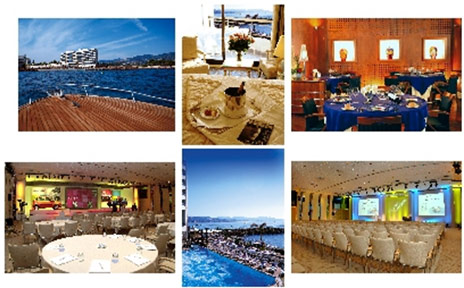
Opposite the famous Cannes Bay and ideally located on the sea front, 10 minutes from the Croisette Avenue and the Palais des Festivals, 5 minutes from Cannes-Mandelieu airport and 30 minutes from Nice Côte d'Azur airport.
200 rooms & suites overlooking the sea or the golf course. 2 restaurants opposite the beach to include the famous Le FEREOL which provides an outstanding view on the bay of Cannes with its veranda overlooking the sea. It features Provencal & Mediterranean specialities, as well as a selection of fishes and a buffet. The hotel also has a piano bar, meeting rooms (1,000 people), night club, private beach, sauna, Turkish bath, tennis courts and Royal Casino with 200 slot machines & table games.
Opposite the famous Cannes Bay and ideally located on the sea front, 10 minutes from the Croisette Avenue and the Palais des Festivals, 5 minutes from Cannes-Mandelieu airport and 30 minutes from Nice Côte d'Azur airport.
200 rooms & suites overlooking the sea or the golf course. 2 restaurants opposite the beach to include the famous Le FEREOL which provides an outstanding view on the bay of Cannes with its veranda overlooking the sea. It features Provencal & Mediterranean specialities, as well as a selection of fishes and a buffet. The hotel also has a piano bar, meeting rooms (1,000 people), night club, private beach, sauna, Turkish bath, tennis courts and Royal Casino with 200 slot machines & table games.
Rooms include:
|
|
